Choose between WordPlus and Anki by testing the work you do every day: adding a useful word, reviewing it, and using it beyond a card. A feature count alone will not tell you which workflow fits. This comparison is written by the WordPlus team; it is not an independent benchmark.
Start with the source of your vocabulary
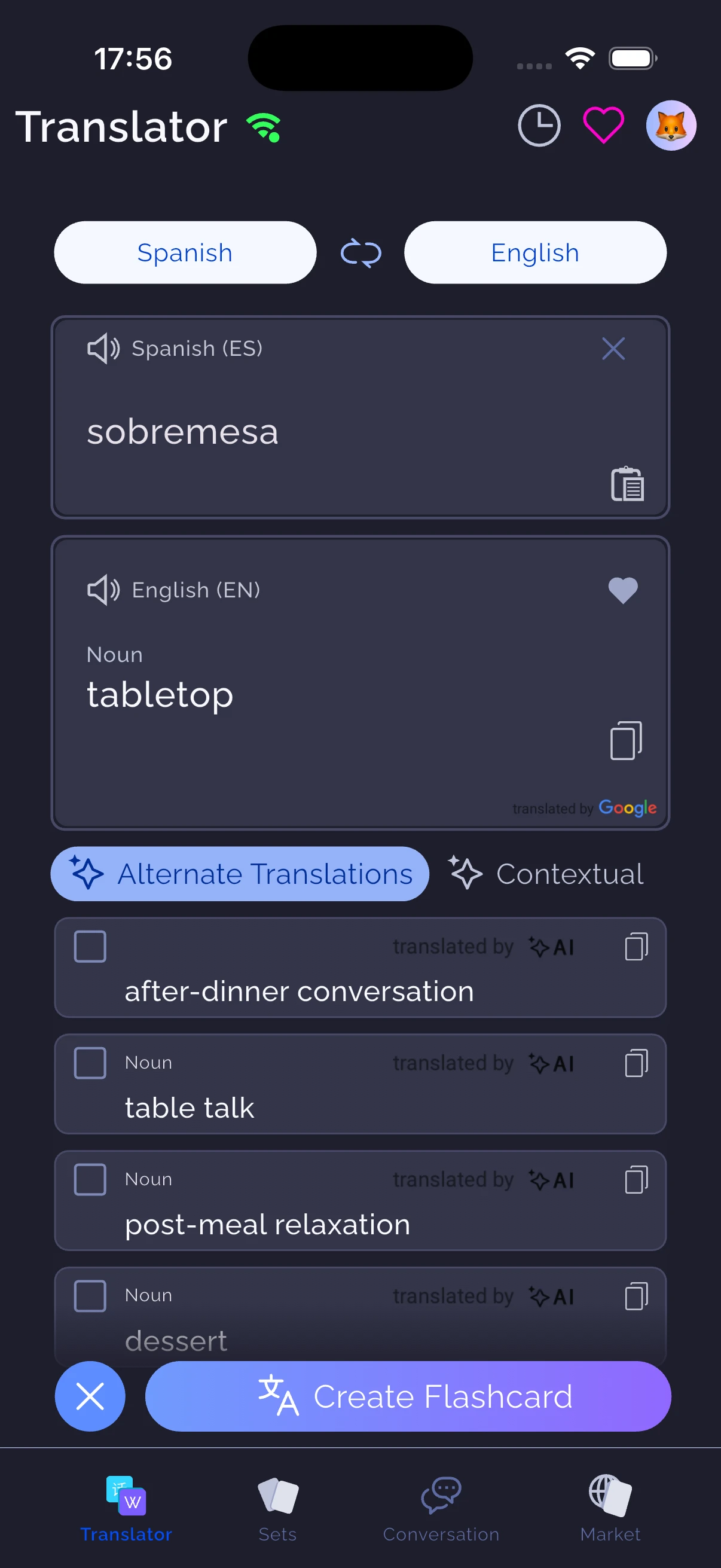
WordPlus brings a translator, word insights, flashcards and conversation practice into a mobile vocabulary workflow. For example, you can look up Spanish sobremesa, inspect alternative meanings, and choose the sense that fits the sentence you read before creating a card.
Anki is a flexible flashcard system. Its official site documents support for formatted content, images, audio and scientific markup. That flexibility matters if your existing study material depends on specialised card layouts. See Anki's official overview.
Compare scheduling accurately
WordPlus uses a five-jar Leitner approach. Anki supports FSRS, alongside its legacy scheduling options. Describing current Anki simply as “SM-2” leaves out an important option. Its manual explains how FSRS uses review history and a desired-retention setting. Read the official FSRS documentation.
These are different scheduling approaches; their names do not establish that one app will make every learner remember more. Consider how much control you want and whether you can maintain your due reviews.
| Decision | WordPlus workflow | Anki workflow |
|---|---|---|
| Collect a word while reading | Start in the translator and choose a relevant meaning | Add the material to a note using your chosen fields |
| Review organisation | Five-jar Leitner system | Configurable deck options, including FSRS |
| Specialised presentation | Vocabulary-focused card layout | Customisable card templates |
| Try a migration | Import a small .apkg sample and inspect it | Keep the original deck and its schedule as your reference |
Do a small migration trial
Keep a backup of your original Anki deck. Export a small representative sample: include an ordinary text card and any unusual formatting or media you rely on. Follow the WordPlus import guide, then inspect the resulting cards before moving a large collection.
Do not assume that importing content reproduces Anki's scheduling history, add-ons or template behaviour. A readable text card does not prove that every card type in a large deck converted correctly.
Decide after a normal week
Use the sample during your usual study time. Compare how easily you add words, correct mistakes, finish reviews and practise the vocabulary in a sentence. Check the current WordPlus plan details and Anki's official download pages for your platform before deciding on cost.
Keep Anki for decks whose customisation or existing review history is essential. Try WordPlus when the translation-to-practice workflow solves a recurring problem for you. There is no requirement to move every subject or deck to the same tool.