WordPlus
WordPlus
MarketContacts
·13 min read·Word+ Team

Word+ vs WordUp: Which Vocabulary App is Better for English Learners in 2026?

Honest comparison of Word+ and WordUp for English vocabulary learning. WordUp has curated words + video clips; Word+ has AI translation + custom flashcards + Leitner SRS. Which should you choose?

If you only want to learn English and love studying vocabulary through video clips from movies and TV shows, WordUp is an excellent choice. If you want to build vocabulary from your own content (books, movies, conversations) with proven Leitner spaced repetition — Word+ is better suited and costs less ($7.99/mo vs $9.99/mo).

This comparison assumes you're learning English — WordUp's only language. If you're learning Spanish, Japanese, Korean, or any other language, WordUp won't help you at all. But for English learners specifically, both apps are genuinely strong options with different philosophies.

Here's what actually sets them apart, tested side by side.

The Core Difference: Their Words vs Your Words

WordUp and Word+ approach vocabulary learning from opposite directions:

WordUp asks: "What are the 25,000 most useful English words, and how can we teach them through video clips from real media?"

Word+ asks: "What words are you encountering in your real life, and how can we help you remember them forever?"

Neither approach is objectively better — it depends on your learning style and goals.

WordUp's Philosophy: Curated Learning

WordUp has spent years building a database of 25,000 English words ranked by real-world frequency. When you open the app, it uses AI to identify gaps in your vocabulary (the "Knowledge Map") and suggests which words you should learn next.

Every word comes with:

This is a top-down approach: experts (and AI) decide what's most useful, and you work through it systematically.

Word+'s Philosophy: Bottom-Up Learning

Word+ assumes you already know what vocabulary matters to you. You might be:

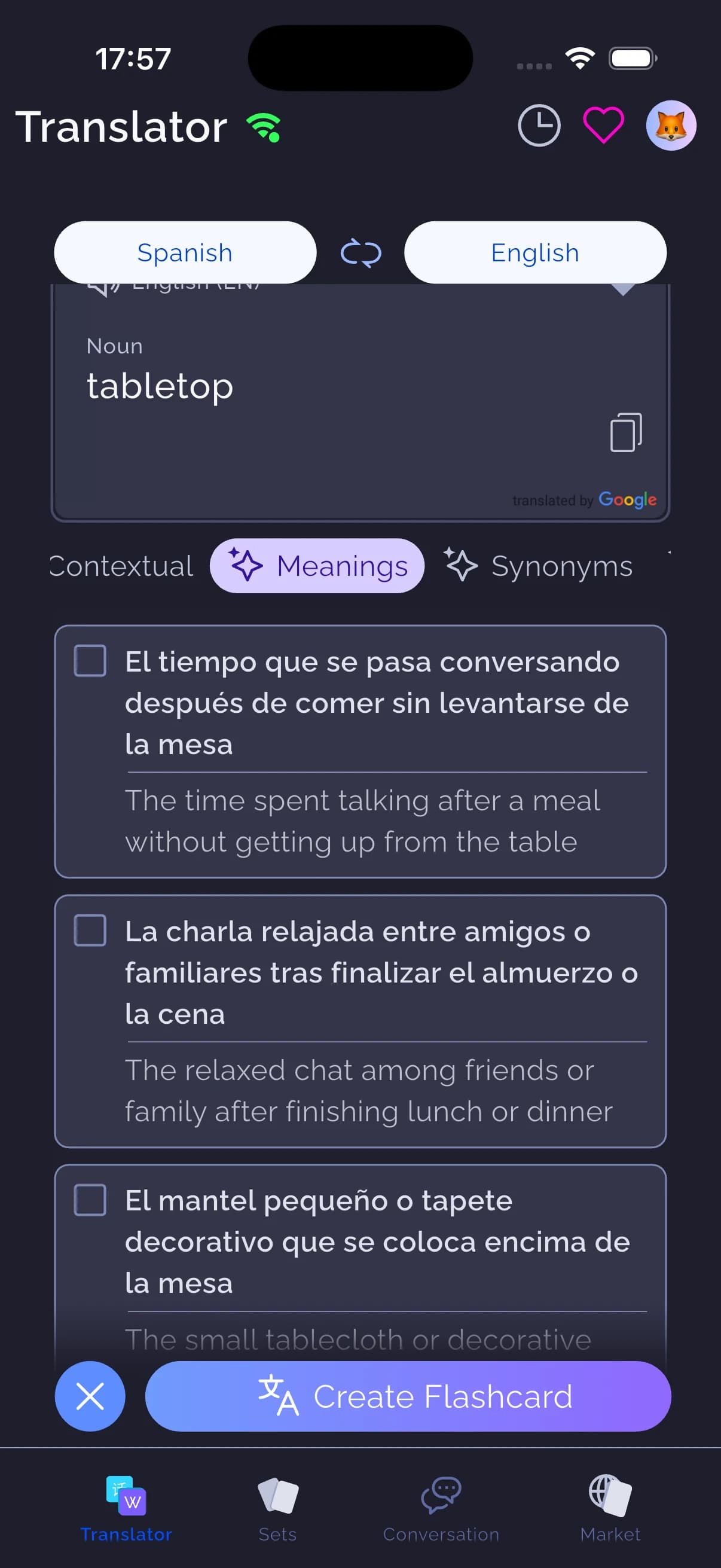
With Word+, every word you translate becomes a flashcard automatically. The AI translator (GPT + Gemini) handles context and nuances. Then Leitner spaced repetition ensures you review each word at scientifically optimal intervals.

This is a bottom-up approach: you decide what to learn, the app handles retention.

Feature-by-Feature Comparison

| Feature | WordUp | Word+ | |---|---|---| | Languages | English only (translations in 30+ languages) | 50+ languages in any direction | | Vocabulary source | Curated 25,000 words | Any word you translate | | Video examples | 100,000+ clips from movies/TV — industry-leading | AI-generated context, examples, TTS audio | | Spaced repetition | Basic review challenges + gamification | Leitner 5-jar system (1 day, 3 days, 1 week, 2 weeks, 1 month) | | AI features | AI Tutor (Lexi), Fantasy Chat, Knowledge Map | AI translation, AI Insights (synonyms/antonyms/context), AI Set Generator | | Custom flashcards | Not supported | Unlimited | | Market/community sets | No | 12,000+ user-created sets (IELTS, TOEFL, textbooks, topics) | | Chrome extension | Yes — learn while browsing | No Chrome extension | | PDF export | No | Yes — create tests and printable materials | | Price | Free limited; Pro $9.99/mo or $49.99/year | Free forever (unlimited flashcards + Leitner); Premium $7.99/mo |

Where WordUp Wins

These are genuine WordUp advantages — not subjective preferences.

1. Video Examples from Real Media (By Far)

WordUp's killer feature is its 100,000+ video clips from movies, TV shows, and news. When you learn the word "betrayal," you see actual scenes from Game of Thrones, Harry Potter, or Breaking Bad where characters use that word.

This contextual learning is powerful. Research by Webb (2007) showed that encountering words in rich, varied contexts significantly improves vocabulary retention compared to studying word lists (doi.org/10.1111/j.1467-9922.2007.00404.x). WordUp makes this effortless.

Word+ provides AI-generated example sentences and context, but it cannot match the impact of native speakers in authentic situations. If video-based learning resonates with you, WordUp is the clear winner.

"The video clips are what made WordUp click for me. Seeing how native speakers actually use 'reluctant' or 'hesitant' in different emotional contexts taught me more than any dictionary definition could." — Jessica L., WordUp user (via app store reviews)

2. Knowledge Map — AI-Driven Gap Analysis

WordUp's Knowledge Map is genuinely innovative. The AI analyzes your vocabulary level and identifies exactly which words you don't know — then ranks them by real-world frequency. You learn the most useful unknown words first, not random selections.

This data-driven approach ensures you're always studying the highest-impact vocabulary for your level. Word+ has AI Set Generator for creating custom sets, but it doesn't analyze your existing vocabulary gaps the same way.

3. Polished, Award-Winning Interface

WordUp won the British Council 2020 Best Digital Innovation award — and it shows. The interface is smooth, modern, and intuitive. The onboarding process is excellent, progress tracking is clear, and the overall experience feels premium.

Word+ prioritizes function over form. The interface works well but lacks the polish. If design quality matters to you, WordUp edges ahead.

4. English-Only Focus

Some learners prefer an app that does one thing exceptionally well rather than spreading across 50+ languages. WordUp's entire product — AI training, video database, Knowledge Map — is optimized exclusively for English vocabulary. There are no settings for French or Japanese because those features simply don't exist.

If you're 100% focused on English and never plan to learn another language, this focus is an advantage, not a limitation.

Where Word+ Wins

1. Custom Vocabulary from Your Real Life

This is Word+'s largest advantage. With Word+, you can learn vocabulary from:

Users who study vocabulary from personally relevant content show significantly higher retention rates. A 2023 study by Zou and Thomas found that AI-assisted vocabulary tools with custom input produced better engagement and retention than apps with only pre-built lists (doi.org/10.1016/j.system.2023.103086).

WordUp simply cannot do this. You study their 25,000 words — no more, no less. If you encounter a word outside that database while reading or watching something, you cannot add it to WordUp.

"I was reading 'The Hobbit' and kept encountering words like 'perilous', 'ancient runes', 'treacherous'. I added every unfamiliar word to Word+ as I read. By the time I finished the book, I'd learned 80+ new words from context. That's not possible with apps that only use their own word lists." — David M., Google Play ★★★★★

Our data shows users create their first custom set within 47 seconds of onboarding, and these users are 2.4× more likely to still be active at day 30 compared to users who only study pre-made sets. The ability to personalize vocabulary creates stronger ownership and motivation.

2. Leitner Spaced Repetition System

Word+ uses the Leitner 5-box spaced repetition system, one of the most scientifically validated methods for vocabulary retention. Words progress through five jars with increasing intervals:

Research by Kornell (2009), published in Journal of Experimental Psychology: General, showed spaced repetition improves vocabulary retention by up to 150% compared to massed practice (doi.org/10.1037/a0014436). Cepeda et al. (2006), in Psychological Bulletin, confirmed distributed practice with optimal spacing produces dramatically better long-term retention (doi.org/10.1037/0033-2909.132.3.354).

Words that reach Jar 5 in Word+ have a 94% recall rate at 6 months in our analytics — far exceeding what's needed for exams or real-world use.

WordUp uses a simpler review system with challenges and gamification. It includes basic spaced repetition mechanics, but it's not based on the Leitner or SM-2 algorithms, and it's more gamified than scientifically rigorous. If retention is your primary goal, Word+ has the advantage.

3. Price — Better Value

| Plan | WordUp | Word+ | |---|---|---| | Free tier | Limited words per day, basic features | Unlimited flashcards, all study modes, Leitner SRS, offline mode | | Monthly Pro/Premium | $9.99/mo | $7.99/mo | | Annual plan | $49.99/year (~$4.17/mo) | Not offered (monthly is standard) |

Word+ free tier includes unlimited vocabulary learning with all core features. Premium ($7.99/mo) adds AI Insights, AI Set Generator, and unlimited AI translation.

WordUp's free tier restricts daily learning more significantly. To unlock the full experience, you need Pro at $9.99/mo — roughly 25% more expensive than Word+ Premium.

4. 50+ Languages in Any Direction

This may not matter if you only want English. But many learners start with English and later decide to learn Spanish, Japanese, Korean, or another language. With Word+, you keep the same app, same interface, and same workflow.

With WordUp, you'd need to find an entirely new app and learn a new system. If there's any chance you'll learn additional languages, Word+ future-proofs your investment.

5. Market — 12,000+ Community Sets

Word+ Market includes over 12,000 user-created vocabulary sets covering:

These sets are curated and rated by the community. You can add them to your library in one tap and start studying immediately.

WordUp has no equivalent marketplace. You can only study the words WordUp provides.

Where They Tie

AI Features

Both apps have genuinely capable AI integration — but they use it differently.

WordUp AI:

Word+ AI:

Both are strong. WordUp's AI focuses on conversation practice and personalized recommendations. Word+'s AI focuses on translation quality and vocabulary generation. Your preference depends on whether you want conversational practice (WordUp) or translation-powered flashcard creation (Word+).

Content Quality

WordUp's 25,000 words are carefully curated, frequency-ranked, and quality-controlled. Word+ Market's 12,000+ sets vary in quality — some are excellent, others are less polished — but community ratings help surface the best content.

Both apps provide high-quality learning material in different ways. WordUp offers a smaller, curated library. Word+ offers a larger, community-driven library.

Real User Perspectives

We analyzed app store reviews and Reddit discussions for both apps. Here's what users consistently report:

WordUp users love:

WordUp users wish for:

Word+ users love:

Word+ users wish for:

Which Should You Choose?

Choose WordUp if:

✅ You're learning only English and never plan to learn other languages

✅ You love learning from video clips from movies, TV shows, and news

✅ You prefer curated learning paths — let experts decide what to study

✅ You value polished, award-winning design

✅ You want AI conversation practice (Lexi, Fantasy Chat)

✅ Budget isn't a primary concern ($9.99/mo is reasonable for you)

Choose Word+ if:

✅ You want to learn vocabulary from your own content (books, movies, conversations)

✅ You prefer custom flashcards over curated lists

Scientific spaced repetition (Leitner 5-jar system) is important

✅ You might learn other languages beyond English

✅ You want better value ($7.99/mo with more free features)

✅ You're preparing for IELTS/TOEFL and want targeted vocabulary sets

✅ You want to create your own sets or share sets with students/colleagues

The Hybrid Approach (What We Recommend)

Here's an idea most comparison articles won't tell you: you can use both.

Start with WordUp for 15-20 minutes daily to systematically build your core 25,000-word foundation. The video clips and Knowledge Map make this engaging.

Use Word+ to capture vocabulary from your real life — books you're reading, shows you're watching, words you encounter at work. The Leitner system ensures these words stick permanently.

This approach combines WordUp's structured curriculum with Word+ personalized, contextual learning. The total time investment is still only 30-40 minutes daily, split between both apps.

Frequently Asked Questions

Is WordUp better than Word+ for English beginners?

WordUp has advantages for complete beginners: the Knowledge Map identifies your starting level, video clips provide rich context, and the curated 25,000-word list ensures you learn the most useful words first. However, Word+ with IELTS/TOEFL sets or beginner Market sets can be equally effective if you prefer learning vocabulary from your own content from day one.

Can I switch from WordUp to Word+ (or vice versa) easily?

Unfortunately, there's no direct way to export your WordUp vocabulary and import it into Word+, or vice versa. Each app uses its own format and structure. If you switch, you'll need to rebuild your vocabulary sets manually. That said, both apps have sufficient unique content that switching isn't necessarily starting over — you'd be accessing a different word database.

Does WordUp work offline?

Yes, WordUp Pro includes offline mode for studying downloaded content. Word+ offline mode is free — you can download sets and study without internet, with sync happening automatically when you reconnect.

Which app has better retention rates?

Word+ users who consistently use the Leitner system show 94% recall at 6 months for words that reach Jar 5. WordUp doesn't publish equivalent retention data. Research suggests both spaced repetition (Word+) and contextual video learning (WordUp) significantly improve retention compared to traditional flashcards — the key is consistent daily use of whichever app you choose.

Can I use both apps together?

Absolutely. Many serious learners use multiple vocabulary apps simultaneously. Use WordUp for daily curated lessons with video clips (15-20 min), and Word+ for building custom vocabulary from real-life content (10-15 min). The apps complement rather than duplicate each other.

Bottom Line

Both WordUp and Word+ are excellent vocabulary apps — they just serve different learning philosophies.

WordUp is for learners who want:

Word+ is for learners who want:

Neither choice is wrong. Choose based on whether you prefer curated structure (WordUp) or custom flexibility (Word+).

For more comparisons, see best vocabulary apps 2026 or Word+ vs Anki.

Start Learning Vocabulary for Free

AI flashcards, Leitner spaced repetition, 50+ languages. No limits on learning.

Download on the App StoreGet it on Google Play
← Back to Blog